
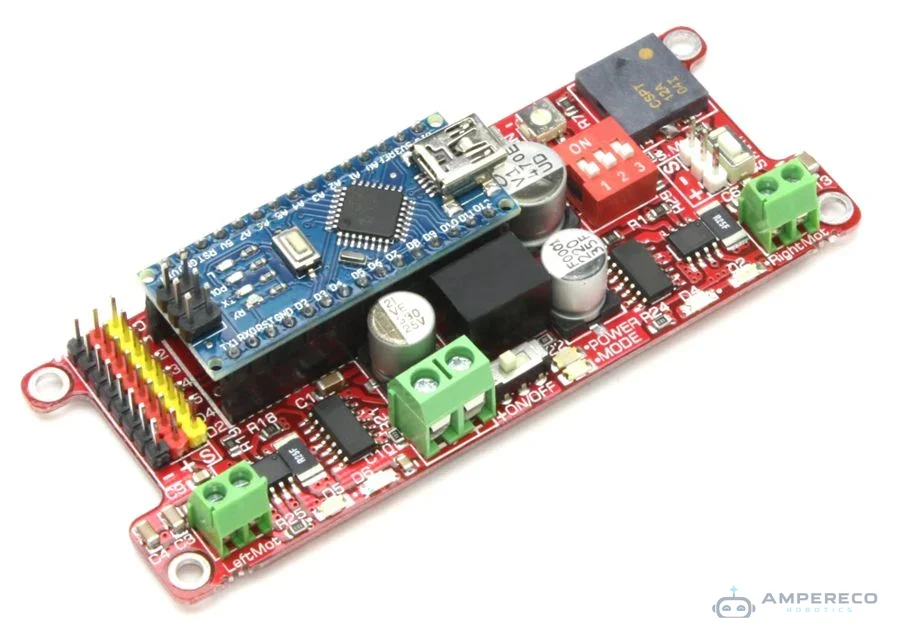
JSUMO Genesis Arduino Robot Controller (With Arduino Nano)
Out of stock — Available for pre-order
The SUMO Genesis Arduino Robot Controller is a professional all-in-one robotics controller engineered for competitive robotics and advanced robotic projects. Built around the widely used Arduino Nano microcontroller…
- Free delivery over 200 QAR
- Genuine parts
- Expert support
The SUMO Genesis Arduino Robot Controller is a professional all-in-one robotics controller engineered for competitive robotics and advanced robotic projects. Built around the widely used Arduino Nano microcontroller platform , Genesis combines motor control, power regulation, protection circuitry, and user interface features into a single compact board. The controller integrates dual high-power motor drivers capable of delivering 3A continuous current per channel and up to 4A burst current , making it suitable for demanding robotic applications such as mini sumo robots and high-speed line follower robots. A built-in 5V voltage regulator supplies stable power to the Arduino Nano and external peripherals. To ensure reliability and safety, Genesis includes temperature monitoring, overcurrent shutdown, overvoltage protection, and short-circuit protection. These features help protect both the controller and connected components during operation. The board provides dedicated connections for motors, DIP switches, speakers, status LEDs, start modules, and adjustable trimpots. Its compact dimensions allow easy installation inside small robotic platforms while maintaining sufficient power handling capabilities. Designed for developers, students, and robotics competitors, Genesis offers an efficient solution for building powerful Arduino-based robots without requiring multiple separate modules. Specifications Parameter Value Product Name SUMO Genesis Arduino Robot Controller Microcontroller Arduino Nano (Included) Input Voltage (Vin) 8V – 24V Maximum Input Voltage 28V Idle Current Consumption 5 mA Motor Driver Channels 2 Continuous Motor Current 3A × 2 Channels Peak Motor Current 4A × 2 Channels 5V Regulator Output Current Up to 1A Protection Features Temperature, Overcurrent, Overvoltage, Short Circuit Board Dimensions 98 × 38 × 18 mm Mounting Hole Diameter 3.2 mm Compatible Screw Size M3 Board Weight 33 g Arduino Nano Pin Mapping Arduino Pin Function D0 Not Connected D1 Not Connected D2 Not Connected D3 Left Motor PWM (Speed Control) D4 Not Connected D5 DIP Switch 1 Input D6 DIP Switch 2 Input D7 DIP Switch 3 Input D8 Mode LED Output D9 Speaker Output D10 Start Module & Button Input D11 Right Motor PWM (Speed Control) D12 Left Motor Direction Control D13 Right Motor Direction Control & Built-in LED A0 Not Connected A1 Not Connected A2 Not Connected A3 Not Connected A4 Not Connected A5 Not Connected A6 Adjustable Trimpot Input A7 Speed Adjustment Trimpot Input Applications Mini sumo robots Line follower robots Autonomous mobile robots Arduino Nano-based robotics projects Educational robotics platforms Competition robots Small and medium-sized robots Research and development projects STEM learning systems Custom robotic vehicles Prototype automation systems Embedded robotics development If you want to use Arduino Nano in your robot project (Minisumo, line follower, etc.), This board must be your first choice. Small size and high power in your hand. With high-quality components and a strong infrastructure; Genesis will be your favorite board. Here how we connected Arduino Nano’s pins to mainboard. It will help you while you are programming. (By the way, we have ready made program) GENESIS ARDUINO NANO PIN TABLE Arduino Pins Purpose Arduino Pins Purpose D0 Empty D11 Right Motor PWM Channel (Speed Control) D1 Empty D12 Left Motor Dir Channel (Direction Control) D2 Empty D13 Right Motor Dir Channel (Direction Control), Arduino Nano Built-in Led D3 Left Motor PWM Channel (Speed Control) A0 Empty D4 Empty A1 Empty D5 Dipswitch 1 Input A2 Empty D6 Dipswitch 2 Input A3 Empty D7 Dipswitch 3 Input A4 Empty D8 Mode Led (Can be used for any purpose) A5 Empty D9 Speaker (Can be used for any purpose) A6 Turn A6 Set Trimpot D10 Start Module & Button Input A7 Speed A7 Set Trimpot Thin Speaker We didn’t use moderate speaker at Genesis. We chose the highest quality speaker for clear & loud sound. You can send output any tone by sending frequency to this speaker. Start Module Button & Input At the board, it has one start button which is parallel connected to start module input pin. The board is fully compatible with start modules. When you push the button it send Logic 1 (5V) signal to Arduino Nano. Dipswitch Genesis Board contains 3 pin dipswitch for total 8 start tactics (for mini sumo robots) Except mini sumo; the dip switch can be used for any purpose. Leds Genesis contains 4 motor direction leds (2 Right, 2 Left), 1 Power led and 1 Mode Led. With indicator leds, you know the robot’s behavior easily. Sensor Inputs / Outputs (8 Line) Each sensor input has 3 pins (-,+,s) and clearly written name. You can plug female cables directly. Signal pins connected to Arduino Nano with small value series resistors for safety. You can connect up to 8 different control element to this pins. 2 Trimpots for Fine Tuning We added 2 Bourns SMD trimpots for fine tuning, onboard programming with your robot. They are directly connected to Arduino Nano’s analog pins (A6 – A7) What is More? Why you should prefer Genesis? SMPS Regulator + Capacitors At the Genesis’s heart, we use 570 kHz high-speed switching mode regulator. With combined multilayer ceramic capacitors, electrolytic capacitors and tantalum capacitor, Board’s voltage output is pure 5V for adding sensors. Voltage Regulator also has short circuit protection. High Current Mosfet Drivers Genesis uses 2 Mosfet driver for giving high current to motors. Thanks to modern MOSFET bridge design; power sent to motors have nearly zero loss. Each motor driver connected with 2 PWM channel. So in total Arduino Nano’s 2 PWM channel is used for controlling 2 dc motors up to 3 Ampere each. On-Board Programming We inspired from Japan sumo robots while creating that board. That robots use multiple trimpots for saving important variables for working program. Also Genesis includes 2 trimpots for same purpose. That trimpots directly connected to Arduino Nano’s analog pins (A6, A7). And for Mini sumo robot they serve as Idle Speed, Starting Turn Time, and Edge sensor seen Turn time changers. SPD: Idle Speed while not opponent seen, TRN: Starting Turn Time, Angle Trimpot.
Key Features
- Arduino IDE support – Program over USB with thousands of free libraries
- Rich I/O – Digital, analog, PWM, I2C, SPI and UART pins
- Beginner friendly – Huge community, examples and tutorials
- Shield compatible – Expand easily with sensors and modules
Package Includes
- 1 x JSUMO Genesis Arduino Robot Controller (With Arduino Nano)
| Product Code | AMP-851 |
|---|---|
| Category | Jsumo |
Mention this code when you order on WhatsApp or by phone.
Related products
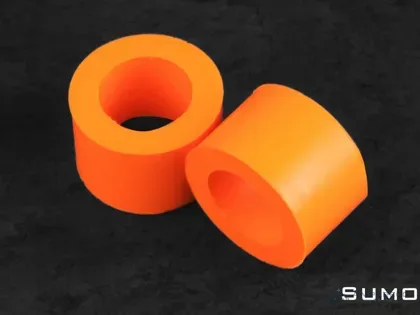
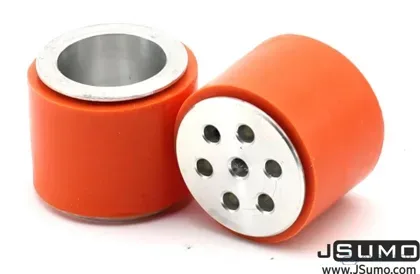
JSUMO JS2622 Aluminum-Silicone Wheel Pair
105.00 QAR
JSUMO ArduPRO Robot Controller (With Arduino Nano)
Out of stock
Out of stock